Sources and source evaluation
Lapmin finds sources students can check
When a student asks a factual question, Lapmin searches the web for a relevant page and shows it below the answer. If Lapmin uses a site that is not yet on its source list, it suggests that site for teachers to review.

Lapmin shows the sources its answer draws on. Their numbers also appear in the answer text.
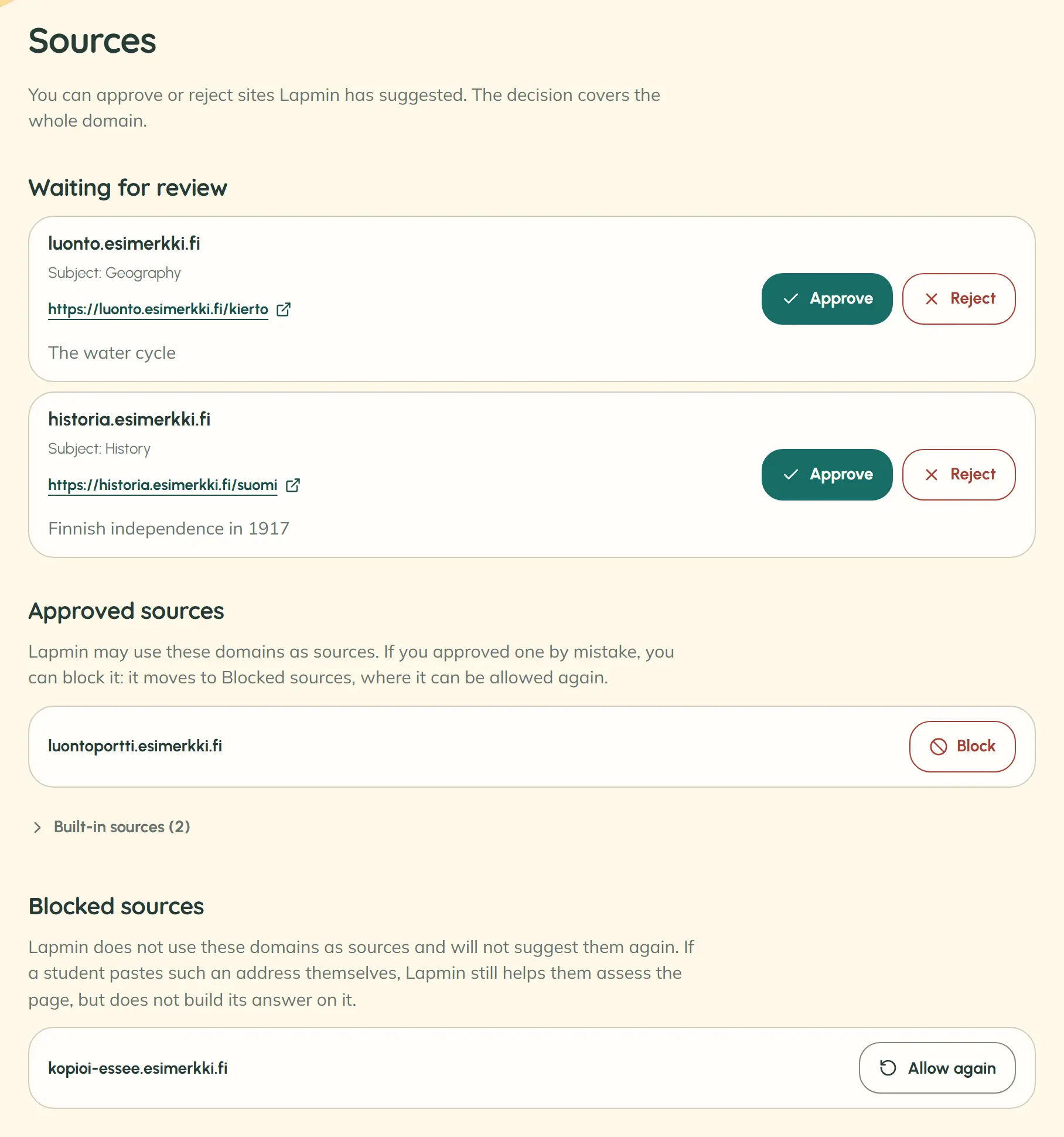
An approved site joins Lapmin’s source list. A site rejected by a teacher is removed from Lapmin’s sources and suggestions. Teachers can change the decision later.
Lapmin helps students find a good source for schoolwork. A student can paste a link to a page they found into their message. Lapmin helps them assess who wrote it, when it was published and where its information came from.
Why this way. In a study, ChatGPT invented some references in literature reviews; GPT-4 did so less often than GPT-3.5. Lapmin therefore displays only pages it has retrieved as sources.
Read the studySource: Walters & Wilder 2023, Scientific Reports · 636 references
Why this way. Finland’s national core curriculum for basic education asks students to practise judging whether information they find is useful and sources are reliable. Lapmin lets students open and assess a source themselves.
Read the sourceSource: Finnish National Core Curriculum for Basic Education 2014, transversal competencies 4 and 5
How Lapmin’s sources work
- 1
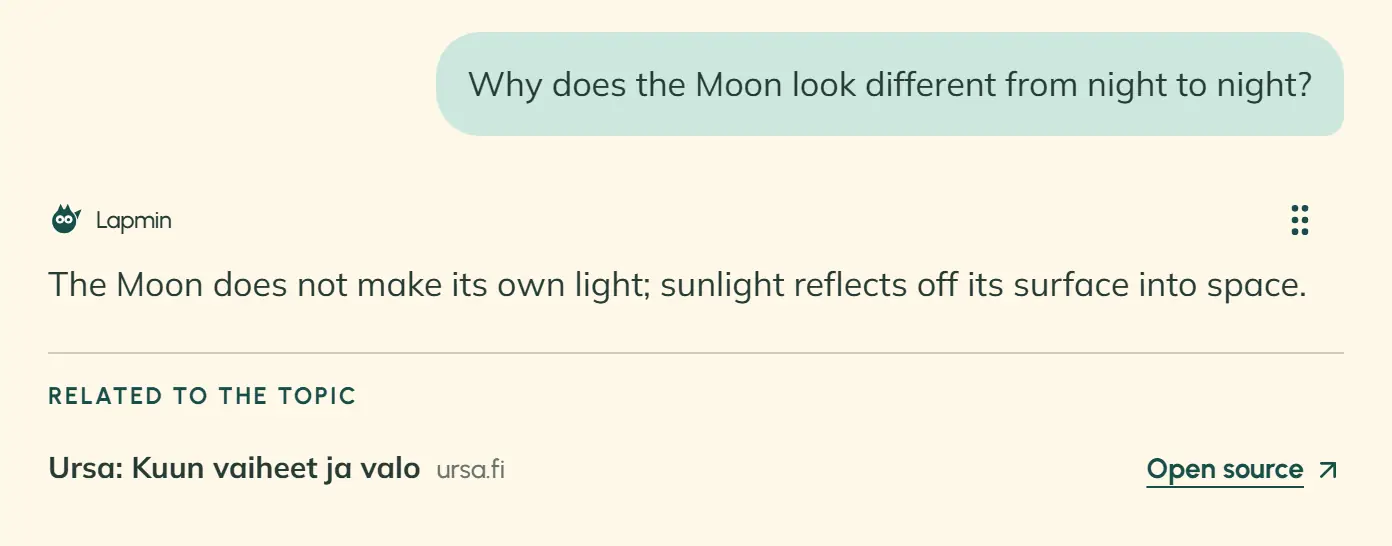
Students see sources and related pages
While Lapmin searches, students see “Lapmin is finding a suitable source…”. Selected pages that the answer does not mention appear under “Related to the topic”.
- 2
A suggestion waits on the teacher’s Sources page
The menu shows the number of pending suggestions beside “Sources”.
- 3
A teacher approves or rejects the site
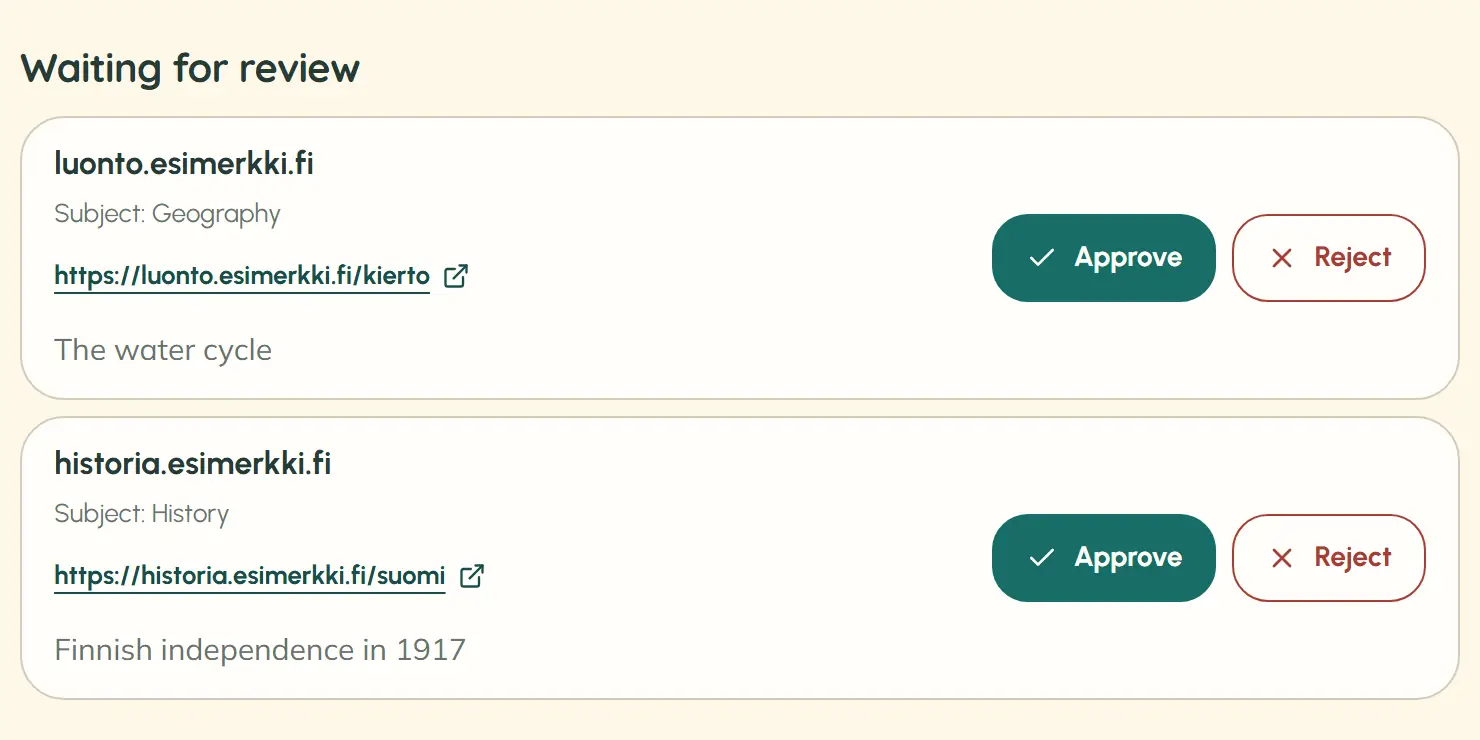
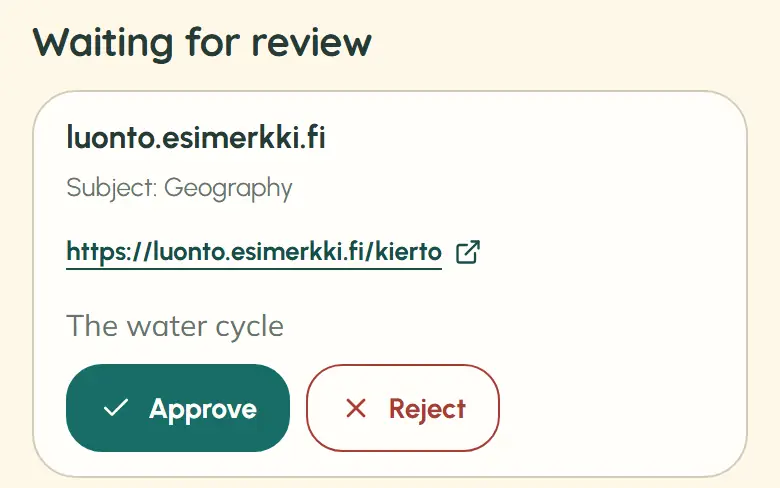
The suggestion shows the domain, a link to the page Lapmin used, and the “Approve” and “Reject” buttons.
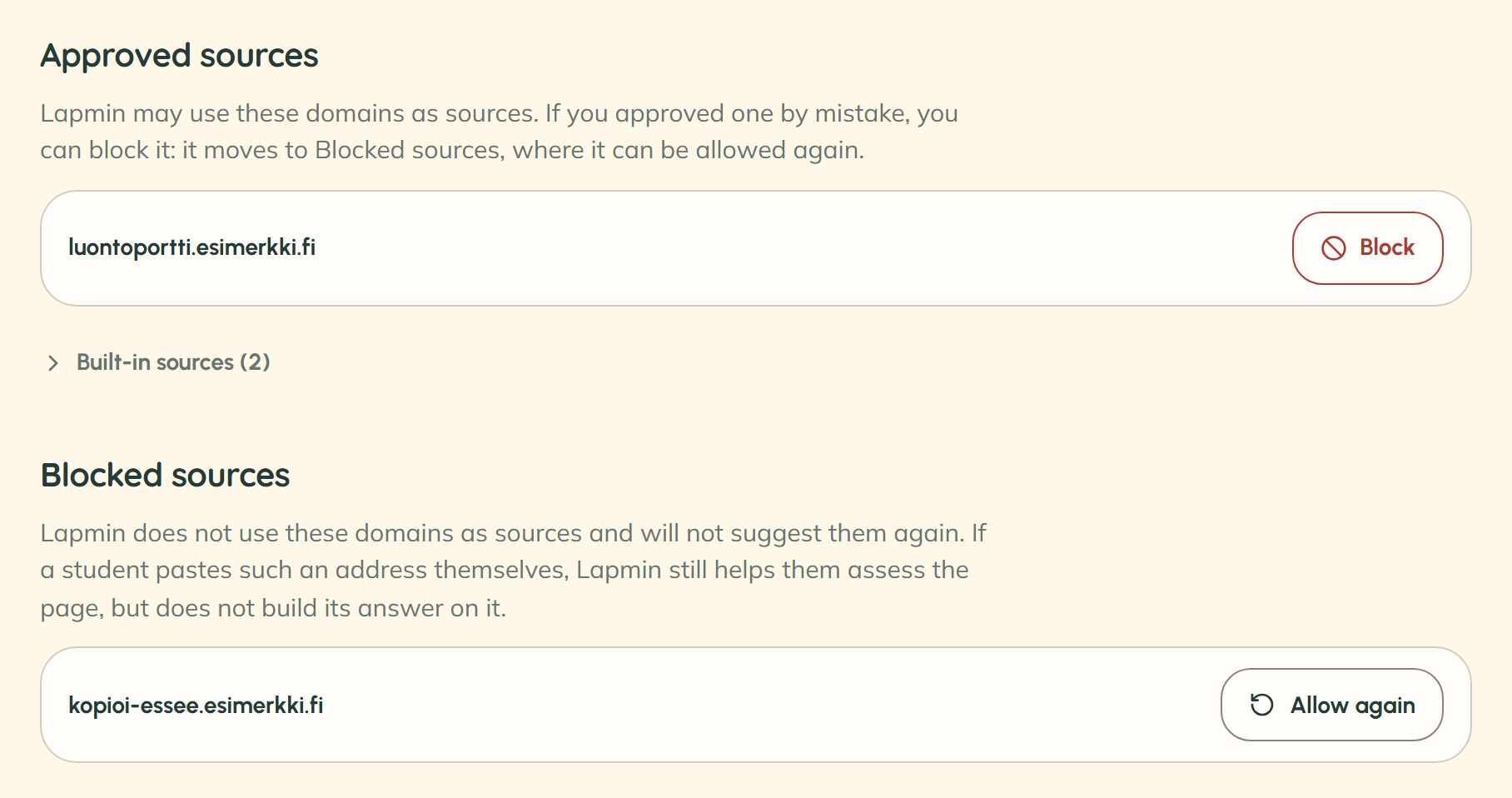


Teachers see suggested, approved and blocked sources
The Sources page has three lists: “Waiting for review”, “Approved sources” and “Blocked sources”. A suggestion shows the domain, a subject such as “Subject: Geography”, a sample link and the page title. Only the teacher of that lesson can see a link the student pasted themselves.
When does an AI answer include a source?
Lapmin looks for sources for questions about history, science and current affairs, for example. It does not look for one for routine calculations, grammar questions or opinions. If a student asks for a source and no suitable page is found, this appears below the answer: “Lapmin did not find a source to check for this.”
Frequently asked questions about sources
Can Lapmin use a site before a teacher reviews it?
Yes. Lapmin may use a new site in later answers too, before teachers have made a decision.
Who reviews the sites Lapmin suggests?
All teachers using Lapmin can see the suggestions. Any of them can approve or reject a site.
Can teachers block Lapmin’s built-in sources?
No. Built-in sources are always available and teachers cannot block them. They can block only sites that teachers have approved.
Interested?
Your message goes to team@lapmin.com, and we’ll reply by email. We can then arrange a demo or a pilot.