How Lapmin answers
Students do the work themselves
General-purpose AI can complete a school assignment for a student. Lapmin provides the facts needed and helps with maths or writing so that the student takes the next step themselves.

Lapmin answers factual questions and explains concepts directly. Students can get an immediate answer about why a rainbow curves or what a carried digit means.
After a mistake, Lapmin identifies the step to check. When a student answers 9 for the tens column in 47 + 38, Lapmin asks them to recalculate that column because 9 is not correct.
Students write the text they submit. When a student sends Lapmin a draft, it points out what already works and suggests improvements.
Source: Bastani et al. 2025, PNAS · nearly 1,000 students, mathematics
Step-by-step maths in a column grid
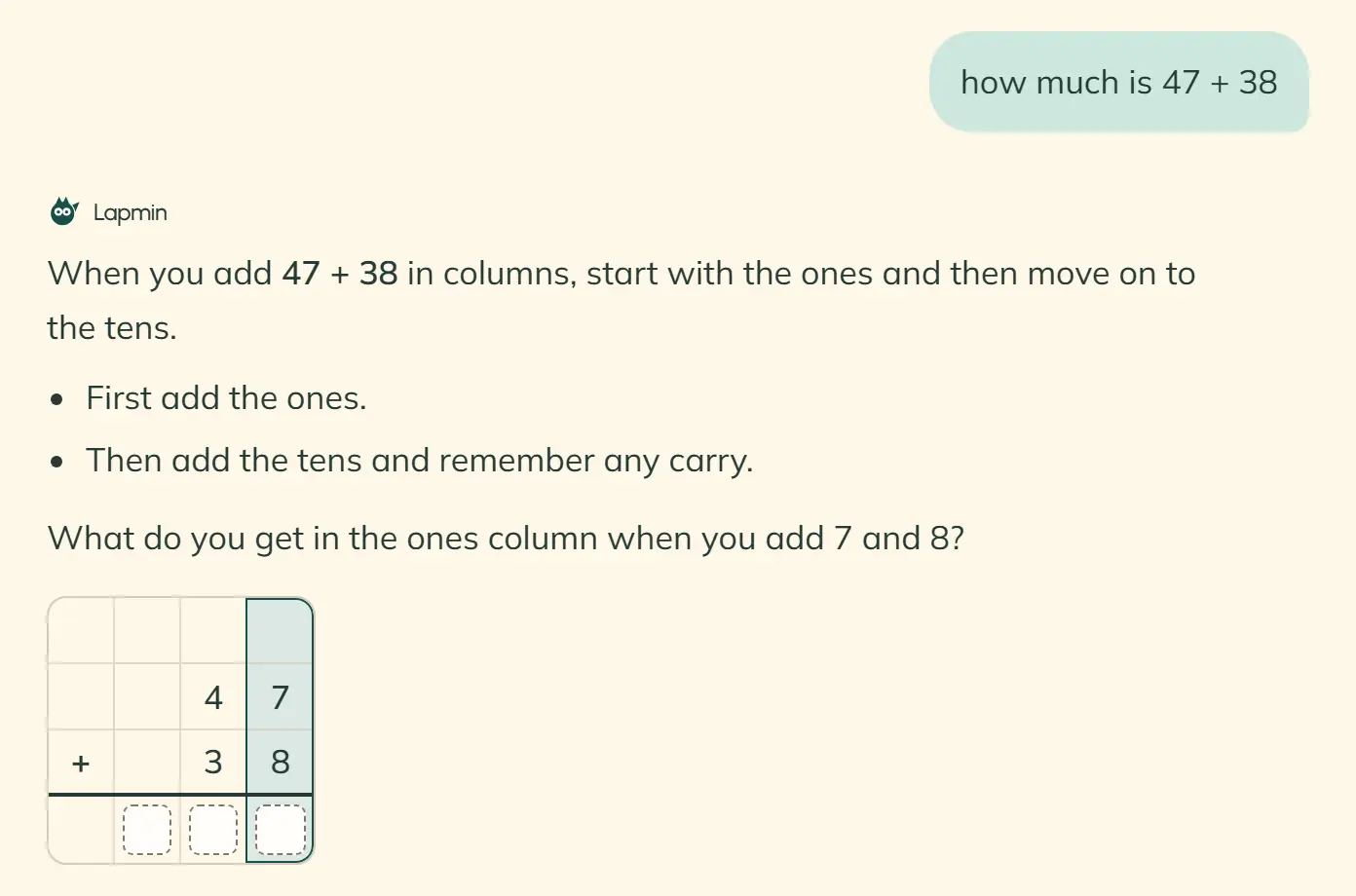
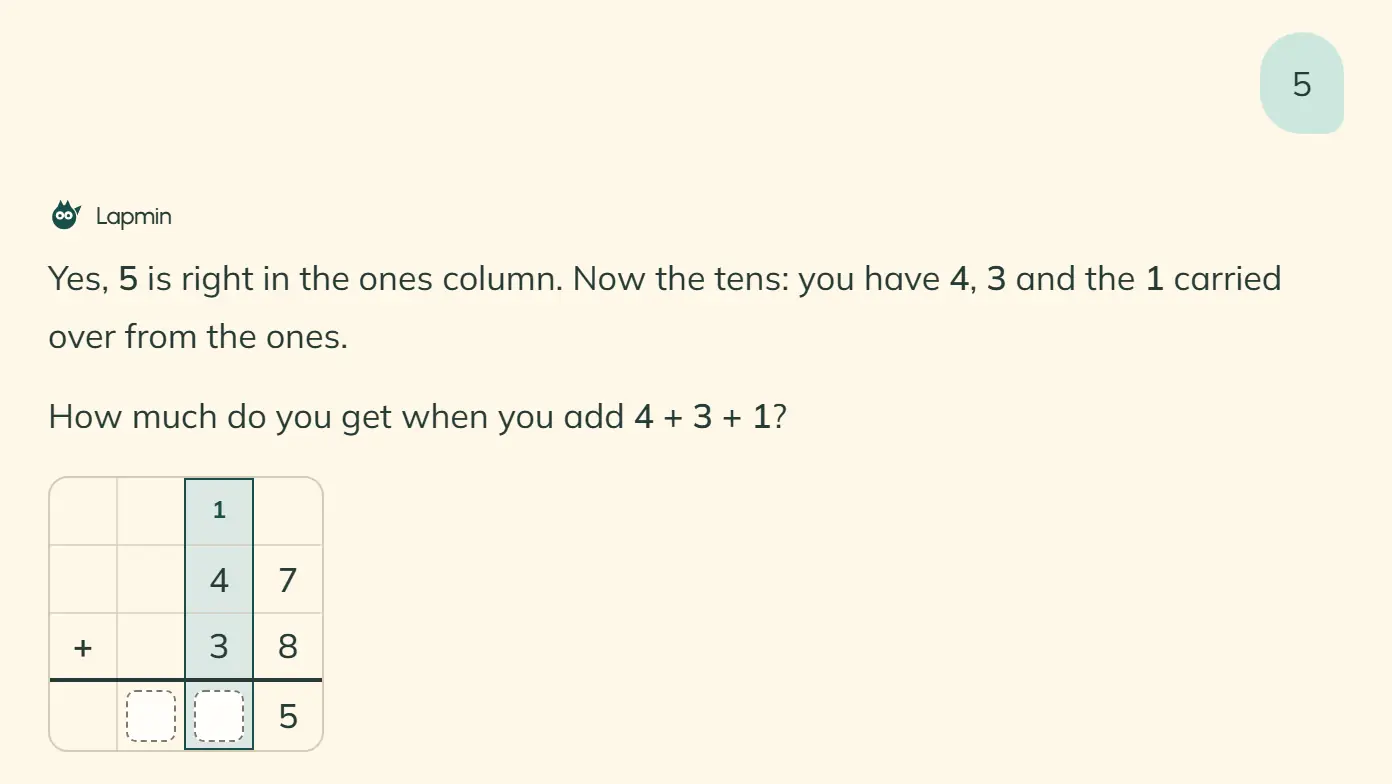
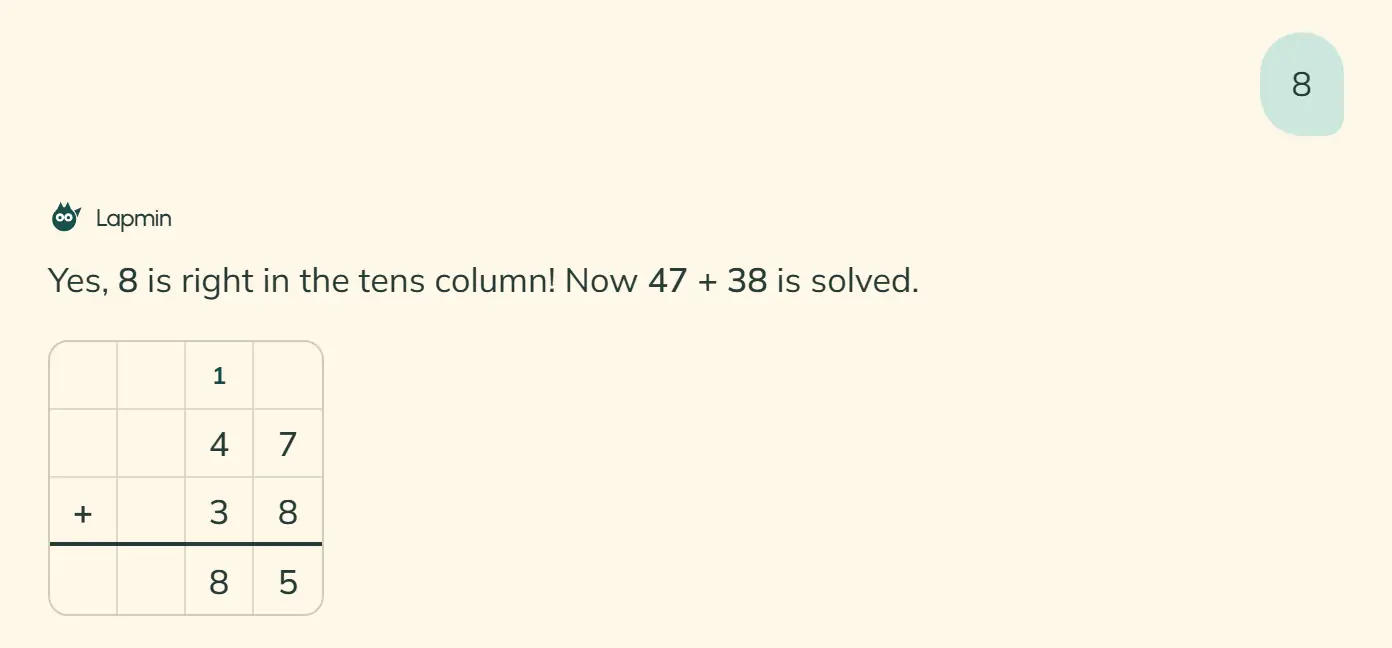
Lapmin displays a column calculation in a grid and checks the step the student has worked out. When that step is correct, the answer boxes fill in.
Why this way. Finland’s national core curriculum for basic education gives guiding questions as an example of supporting mathematical work when students demonstrate what they know. It includes algorithms for addition, subtraction and multiplication in grades 3–6.
Read the sourceSource: Finnish National Core Curriculum for Basic Education 2014, mathematics, grades 3–6
How the column grid fills in
- 1
The student enters a calculation
A student asks, for example, what 47 + 38 is. Lapmin draws a grid below its reply and asks for the sum of the ones first. The answer boxes are empty, and the current column is highlighted.
- 2
The correct digit appears in the grid
The student’s answer, 5, appears in the ones box, with a carried 1 above the tens. The tens column is highlighted next.
- 3
The student completes the calculation
Once the tens are correct too, the grid shows the student’s own answer, 85. Lapmin confirms that the calculation is solved.


The grid shows carried digits and partial products
With a multi-digit multiplier, each digit has its own partial-product row. The partial products are then added. A carried digit appears as a small number above its column.

When does Lapmin draw the column grid?
Lapmin draws the grid when a student asks to work in columns. Without that request, it appears for addition or subtraction involving a carried digit, borrowing or regrouping, and for multiplication with a product of at least 200.
For addition and subtraction, classes in grades 1–6 get the grid with two-digit numbers; classes in grades 7–9 get it with three-digit numbers. There is no division grid yet.
Questions help students plan an essay
A student asks for help planning an essay about the fall of the Roman Empire. Lapmin gives brief background and asks about the essay’s beginning, middle and end. It then asks which question the student will answer first.
Students write what they have learned in their own words. Lapmin’s replies cannot be copied.

Students can find earlier questions and answers in Notes
Students choose which answers are worth keeping. Teachers cannot open students’ Notes from the teacher view. These remain in each student’s own view, even while the teacher follows the lesson’s flags.
How an answer moves into Notes
- 1
The answer has a drag handle
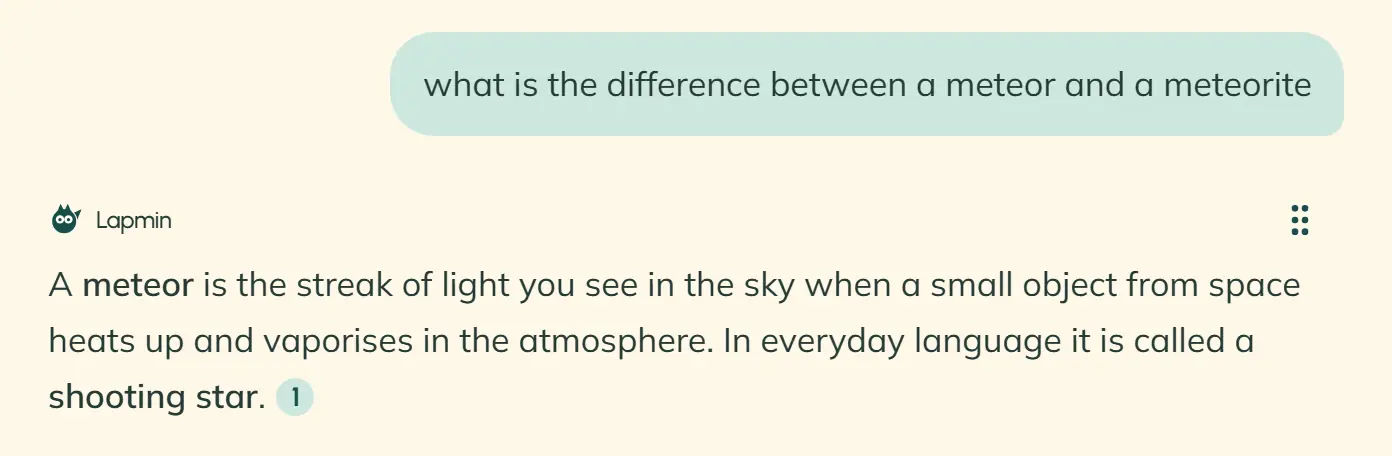
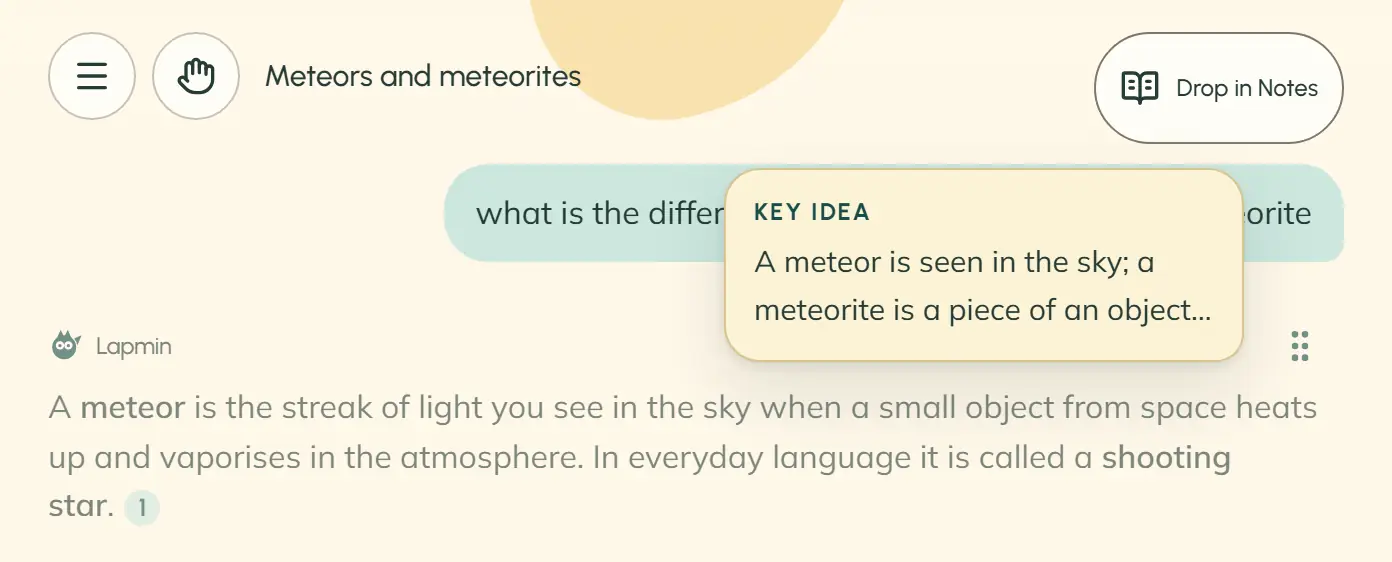
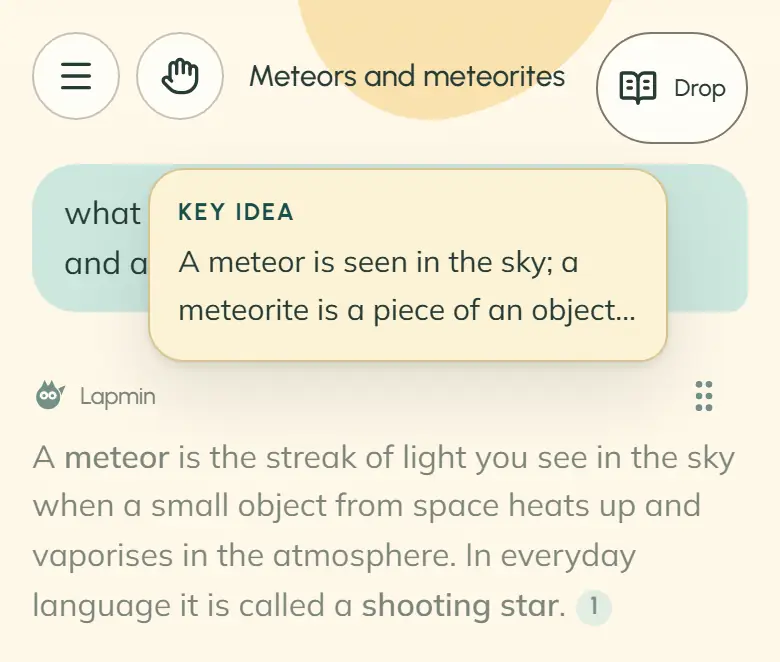
When an answer has a key idea, a handle appears at the top so the student can save it.
- 2
The student saves the answer
The student can drag it to the “Notes” button in the top-right corner, or open “Notes” and choose “Add”. The saved card opens in the Notes view.
- 3
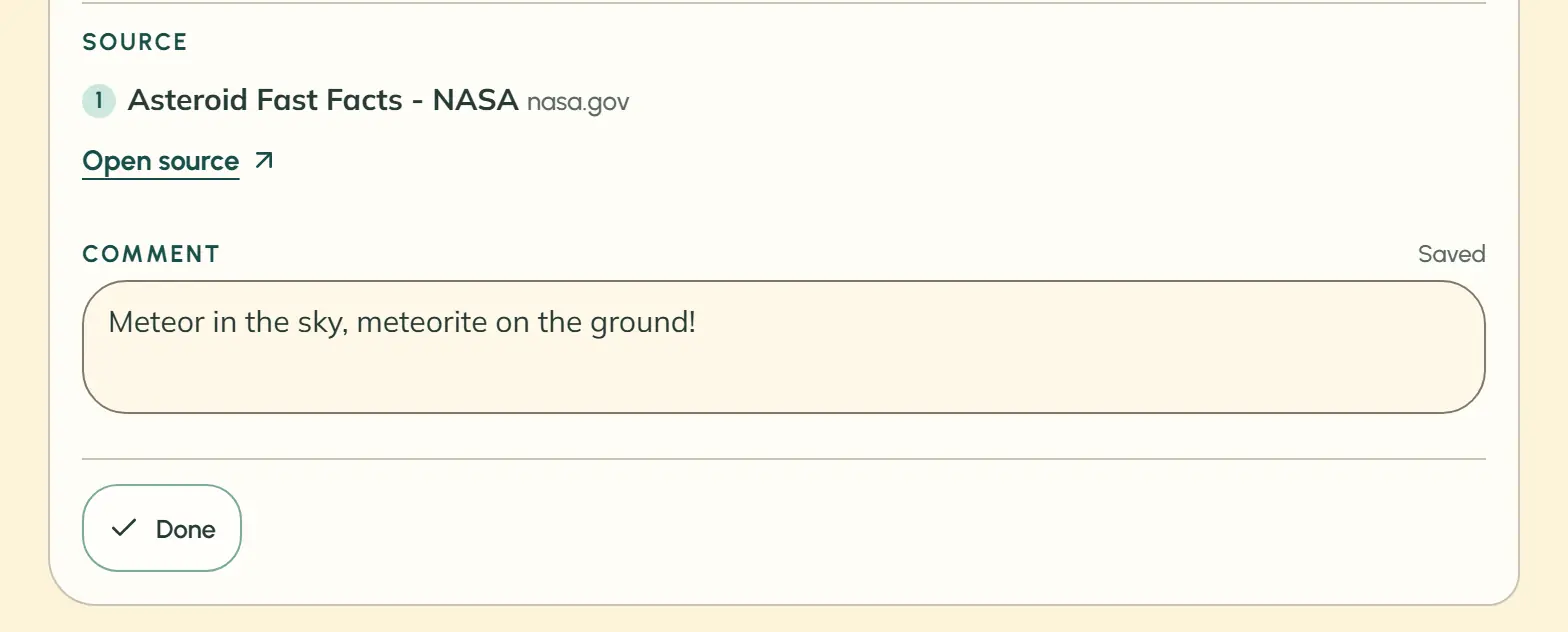
The student writes a comment
The “Comment” button opens a field on the card for the student’s own words.


Frequently asked questions about answers and maths
What if a student keeps asking for the complete answer?
Lapmin does not give the final result of a task, even when asked repeatedly. Its hints become more specific when the student tries for themselves. If a student repeatedly asks for help on the same topic without making an attempt, they appear in the teacher’s “Needs you” list, and the teacher can open the conversation.
How can a student get a different explanation?
The student sends Lapmin a message asking for a simpler explanation or an example.
Can a student send a picture of a task?
Lapmin cannot read images. The student writes out the task in words and numbers in a message.
What does a screen reader say about the maths grid?
It reads one short description covering the calculation, the digits the student has already worked out and what remains.
Can a student return from Notes to the conversation after the lesson?
The lesson’s conversations are deleted when it ends and cannot be reopened. An answer saved in Notes remains until the student deletes the note.
Interested?
Your message goes to team@lapmin.com, and we’ll reply by email. We can then arrange a demo or a pilot.