Teacher attention where students need it
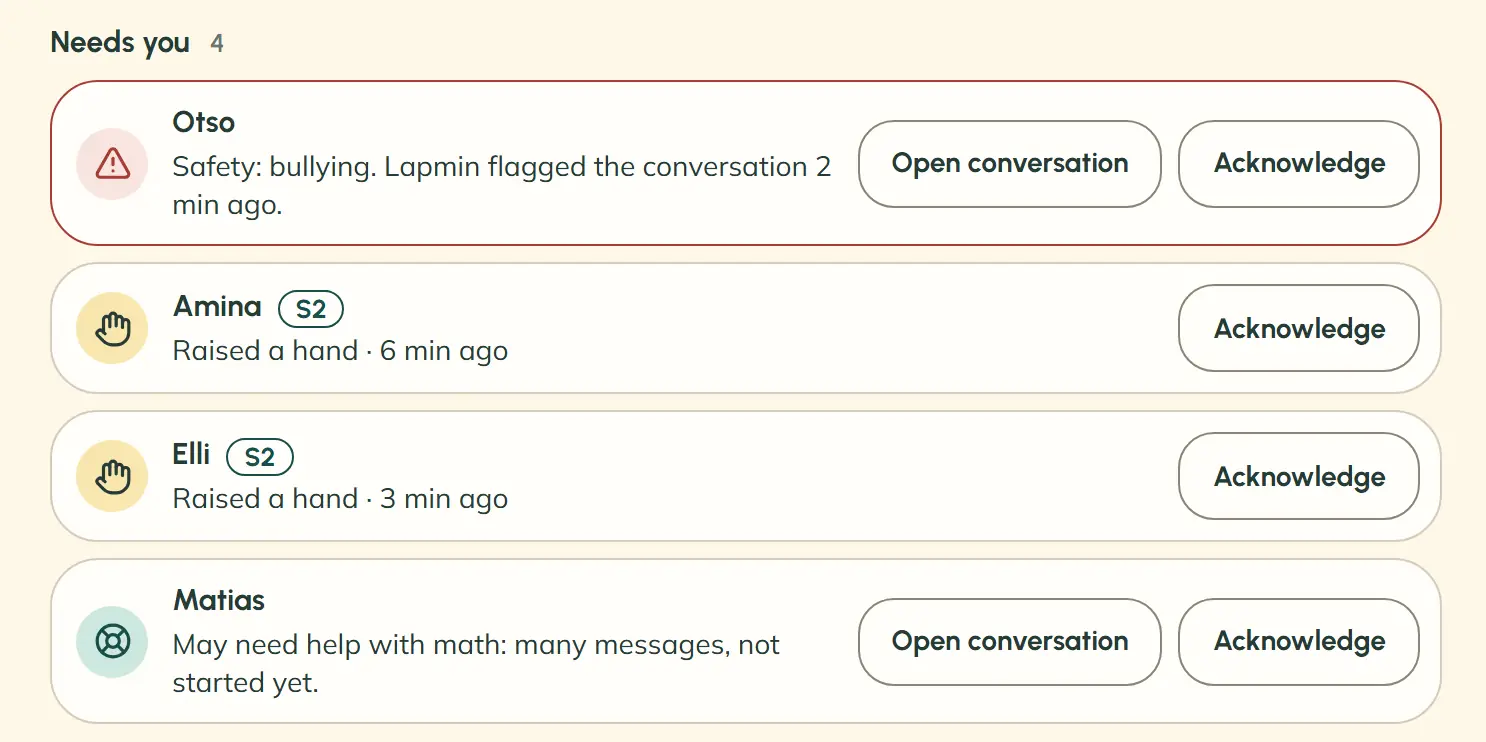
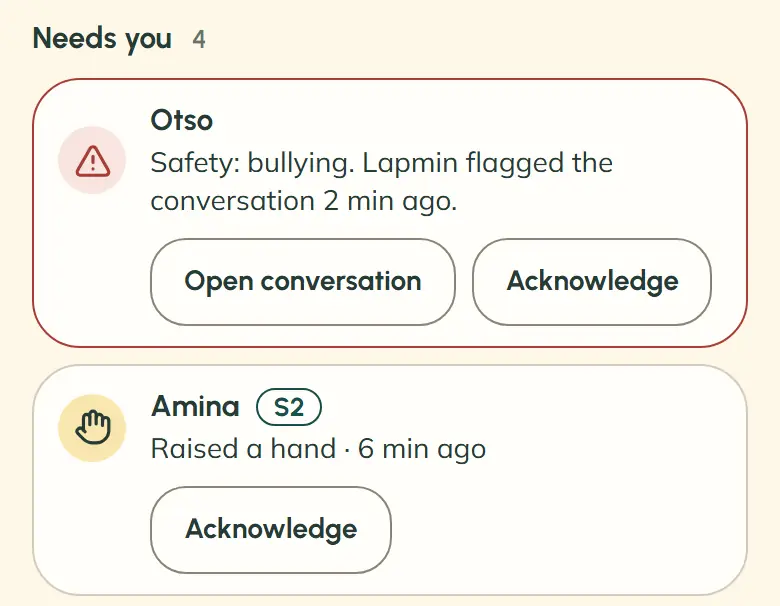
Lapmin’s “Needs you” list shows who has asked for help or may need it. Teachers can see where to go without checking every student’s screen.
What does a school get?
Schools can review the teacher and student tools one feature at a time:
The lesson: teachers decide how the lesson is used and can see who may need help.
Explore the lessonSources and AI literacy: students can check a source shown in an answer, and teachers review new websites Lapmin uses.
Explore SourcesAnswers and maths: students work out the maths and write the text they submit.
Explore answers and mathsLanguages: the same tool can be used in grades 1–6 and 7–9 and with students studying Finnish as a second language (S2, a designation used in Finnish schools). Lapmin replies in Finnish, and in Swedish and English at a language learner’s level.
Explore languages and gradesOpeAI: teachers get a separate tool for tasks such as lesson planning.
Explore OpeAINotes: students can save answers in their private Notes and find them in later lessons.
Explore Notes
How can a school get started?
A demo lets a school assess Lapmin before wider use.
- 1
A school or municipality can request a demo using the form below. A pilot starts with a conversation.
- 2
Lapmin presents the current version, and the school sets the scope of a possible pilot.
- 3
Before students use Lapmin, the school carries out a data protection impact assessment, agrees on the processing of personal data with Lapmin and approves its use.
- 4
The school decides whether to start the pilot and, later, whether to continue based on its experience.
How Lapmin relates to Finland’s national core curriculum
Lapmin can support some goals in Finland’s National Core Curriculum for Basic Education 2014 when teachers choose how to use it. This is the national framework for Finland’s primary and lower secondary schools. The table describes connections, not approval by the Finnish National Agency for Education or evidence of improved learning outcomes. References point to the updated Finnish curriculum text. T1–T5 refer to areas of its transversal competences.
| Lapmin feature | Finnish curriculum section | Connection to the goal |
|---|---|---|
| Guided tasks | Finnish curriculum section2.3; T1 | Connection to the goalStep-by-step guidance supports students’ own problem-solving. |
| Students’ own questions | Finnish curriculum sectionT1 | Connection to the goalAsking in their own words fits the goal of seeking answers to their questions. |
| Checkable sources | Finnish curriculum sectionT4 multiliteracy; T5 ICT competence · background | Connection to the goalA displayed source helps students evaluate that source. |
| Finnish as a second language (S2) | Finnish curriculum section4.2.5; S2 in grades 3–6 and 7–9 · background | Connection to the goalClearer Finnish for the student supports work with subject concepts. |
| Swedish and English | Finnish curriculum sectionT2; language education | Connection to the goalReplies adapted for language learners support work with information in other languages. |
| Maths guidance | Finnish curriculum sectionT1; mathematics in grades 3–6 · background | Connection to the goalGuiding questions fit the curriculum’s guidance of students’ maths work. |
| Column calculations | Finnish curriculum sectionMathematics in grades 3–6, “Numbers and operations” · background | Connection to the goalThe grid supports practice with addition, subtraction and multiplication algorithms. |
| The teacher’s “Needs you” list | Finnish curriculum section5.1; 6.2 | Connection to the goalThe list helps teachers direct attention to students who need help. |
| Safety replies | Finnish curriculum section4.2.2; T3 | Connection to the goalChecking messages supports the goal of a safe learning environment. |
| OpeAI | Finnish curriculum section4.3.2 | Connection to the goalOpeAI helps with planning; teachers choose the working methods. |
| Assessment | Finnish curriculum section6.1.2; 6.2 | Connection to the goalLapmin does not assign grades. Assessment decisions belong to teachers. |
| Digital tool | Finnish curriculum sectionT5 ICT competence; 4.3.1 | Connection to the goalUse limited to the lesson fits planned use of information and communication technology. |
Data privacy and safety
In a school pilot, the school’s education provider, usually the municipality, is the controller. Lapmin processes service data on the education provider’s instructions. Students do not need their own accounts. Processing follows the EU General Data Protection Regulation (GDPR), and a privacy notice and data protection impact assessment are in place; Lapmin’s database is in Stockholm in the EU, and data sent to Lapmin is not used to train AI models. Lapmin is built in line with the EU AI Act and supports learning without giving grades.
Read the privacy notice, terms of use and accessibility statement.
Frequently asked questions for schools
Can students use Lapmin on a phone during a lesson in Finland?
Using a phone or other mobile device for learning during a lesson requires the teacher’s permission under Finnish law. The school decides how devices are used. Read the Finnish provision in Finlex.
Is UNESCO’s recommendation of age 13 Lapmin’s age limit?
No. UNESCO’s guidance recommends that governments set a minimum age of 13 for independent conversations with AI platforms. Lapmin is intended for teacher-led lessons, and the guidance does not assess Lapmin. Read the background.
Interested?
Your message goes to team@lapmin.com, and we’ll reply by email. We can then arrange a demo or a pilot.